“Driving 25 minutes to an appointment only to find the client forgot you were coming.”
✓ With Service Zen
Send clear appointment confirmations and reminders so clients confirm or reschedule before your truck leaves.
Customers love knowing when their technician is arriving—and you love walking up to a door where the client is actually home. Service Zen combines online work-request intake, a client portal and automated reminders in one calm workflow.
Capture requests 24/7, confirm appointments automatically and earn more 5-star reviews. Built for four-season trade & service teams
“Driving 25 minutes to an appointment only to find the client forgot you were coming.”
Send clear appointment confirmations and reminders so clients confirm or reschedule before your truck leaves.
“Prospects visiting your website at 10 PM bounce because there is no easy way to request a job.”
Publish intake forms and a public service provider site where customers can submit work requests around the clock.
“Happy customers promise to leave a Google review, then forget as soon as the workday moves on.”
Trigger a friendly review request after the job is completed so satisfied clients have a direct link right when the work is fresh.
Grouping nearby stops and keeping gate codes, equipment models and checklists on the calendar cuts backtracking across booking & reminders routes.
Review technician assignments and route order side by side in the Service Zen schedule.
Sending a 24-hour reminder plus a morning arrival window notice cuts forgotten appointments and locked gates by three-quarters.
More than a third of online work requests are submitted in the evening after homeowners get home from work and notice an issue.
Asking for a review within 2 hours of a completed, paid job converts at 3× the rate of end-of-month batch emails.
Collecting address, photos and preferred days on an intake form replaces 3 rounds of back-and-forth voicemail tag.
Use concise, reassuring messages like these in your Service Zen notifications and SMS inbox.
Hospitality Detail: Mentioning clean boot covers and pet safety in your arrival text is a tiny touch that homeowners remember—and mention in 5-star reviews.
Embed a booking or work-request form on your site so customers can describe their issue, share photos and request preferred times.
Once your team schedules the job, keep the customer informed with confirmation notices and pre-visit reminders via supported email or SMS channels.
Give clients a single link where they can review estimates, see published business policies, check job status and pay their invoice.
After completion, send a review link or schedule the next seasonal maintenance visit while the customer relationship is warm.
Instead of hunting through personal text messages, view and reply to customer SMS threads right inside the Service Zen Messages inbox with full client context.
Configure triggers and notifications for new requests, quote approvals, upcoming visits and overdue invoices so routine updates happen reliably.
Need a cleaner web presence? Service Zen includes public business profile pages, web forms and review capture flows connected to your back office.
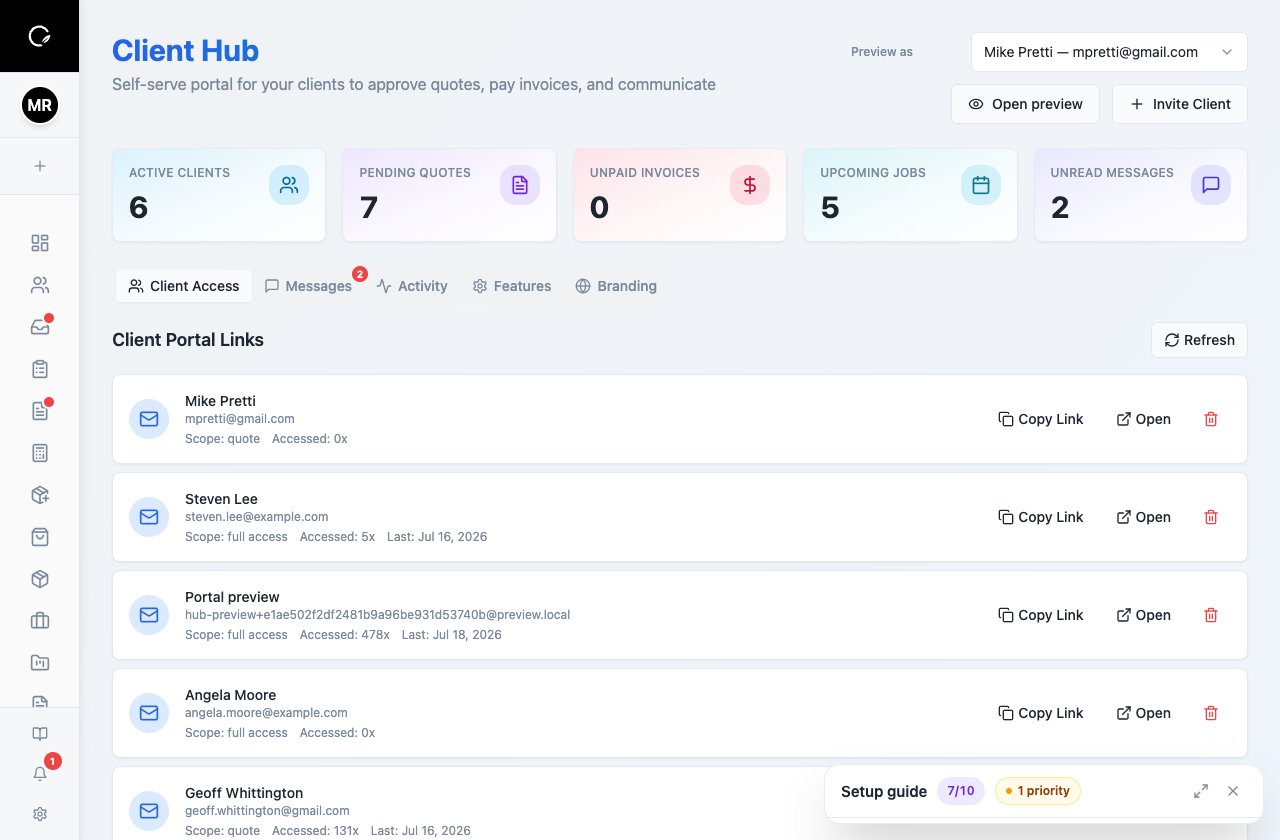
You stay in control. Online intake forms create structured work requests so your office can verify scope, service area and technician availability before confirming the slot.
Yes, with supported messaging channels configured, your team can send and receive SMS updates in a shared conversation inbox linked to each client.
Yes. Service Zen includes review capture links and follow-up workflows to help you gather customer feedback and grow your local reputation.
Explore the live demo, test a workflow, or compare our current plans.