“Writing quotes at 9 PM from scribbled site notes means prospects wait days and call someone else.”
✓ With Service Zen
Build clean, itemized quotes from saved service items or site notes and send a shareable approval link in minutes.
Fast, clear quotes win more work—but not if they cost you your evenings. Service Zen helps you assemble itemized labour and material estimates, share them for online approval and convert accepted quotes straight into jobs.
Price the work clearly, get sign-off online and keep the scope attached to the job. Built for four-season trade & service teams
“Writing quotes at 9 PM from scribbled site notes means prospects wait days and call someone else.”
Build clean, itemized quotes from saved service items or site notes and send a shareable approval link in minutes.
“Verbal agreements and text-message prices lead to scope creep once the crew is on site.”
Put labour, materials, exclusions and business policies on a written quote that records the client’s approval.
“Guessing at markup vs. margin leaves you busy all week with too little profit at the end of the month.”
Break out quantities, unit prices and tax clearly so you can verify your margin before sending the estimate.
A 35% profit margin is not a 35% markup. Adjust labour, materials and target margin for a quotes & estimates job to see your exact pre-tax and tax-included quote total.
Formula: Quote Price = $600 direct cost ÷ (1 − 0.35) = $923.
Estimates delivered within 24 hours of the site walk close at nearly double the rate of quotes sent 3+ days later.
Separating prep, materials, installation labour and warranty terms answers homeowner questions upfront without back-and-forth emails.
Stating a clear material deposit policy on approved quotes over $1,000 keeps supplier purchases funded by the project, not your credit line.
Converting an approved quote straight into a scheduled job and invoice prevents forgotten line items and transcription typos.
Use this four-part structure so clients understand the value of your craft and approve online with confidence.
Published Policy Footer: Quote valid for 30 days. 35% deposit upon approval to schedule and stage materials; balance due upon completion and walkthrough.
Open the client’s inquiry or create a new quote directly from the customer record so property details and notes are right in front of you.
Add specific line items with quantities and unit pricing. Separate diagnostic, preparation, materials and installation work so the client sees the value behind the price.
Share the quote with your client so they can review the scope, applicable policies and total online and approve it without printing or scanning.
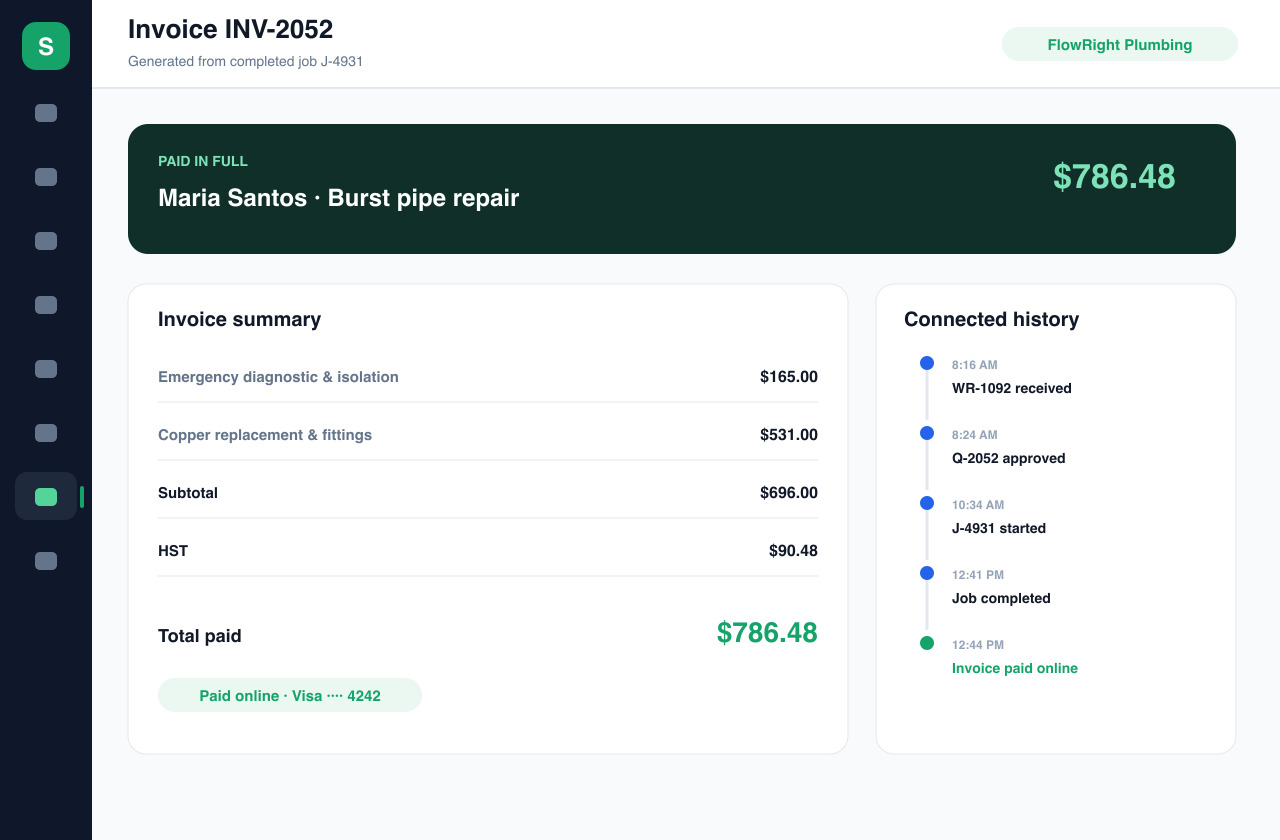
Once approved, turn the quote into a scheduled job and later into an invoice—keeping the exact agreed line items intact from start to finish.
In disconnected tools, you type the scope three times: once in the estimate, once on the calendar and once on the bill. Service Zen carries the approved items forward automatically.
Publish deposit terms, cancellation windows or warranty policies in Service Zen and display them directly on quotes and invoices so expectations are clear upfront.
See which quotes are draft, sent, approved or awaiting follow-up so warm opportunities never sit forgotten in an outbox.

Yes. Service Zen provides a client-facing quote view where customers can review line items, notes and published policies and record their approval online.
Yes. When you move from an approved quote to a job and invoice, the line items and pricing carry forward so you only need to adjust for any agreed change orders.
Yes. You can configure published business policies in Service Zen to appear on your quotes and invoices.
Explore the live demo, test a workflow, or compare our current plans.