For HVAC service teams
HVAC dispatch programs should keep the whole day in view.
Maintenance visits, repairs and urgent requests compete for the same technician time. Service Zen brings job scheduling, assignments and routing together so your office can plan the day and review changes as work comes in.
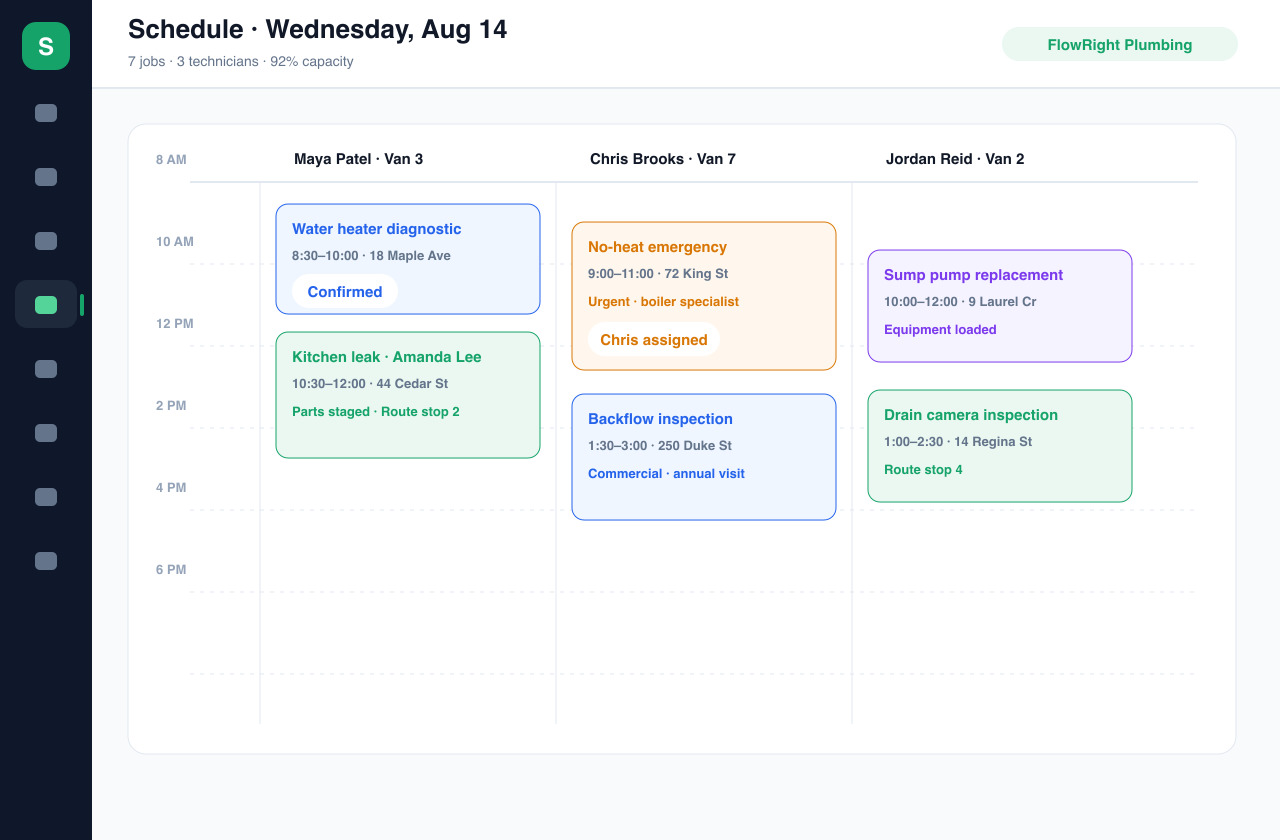
A shared schedule, clear assignments and the context behind each stop.
The everyday workflow
Build a dispatch plan around the actual work
Give the dispatcher usable details
Capture the client, address, service issue and requested timing in a work request. A seasonal tune-up and a no-heat call need different handling. Review urgency and scope with your team before promising attendance; the calendar is a planning tool, not a substitute for that decision.
Assign a technician and a time
Create the job and place it on the schedule with a technician assignment. Check availability, the likely job duration and the skills needed for the work. Leave room for diagnosis and travel instead of treating every visit as an identical appointment slot.
Review the route
Use routing to consider the sequence of stops and travel between addresses. Compare the route with the commitments already made to clients. A shorter drive is useful only when the planned order also makes sense for access, appointment windows and the work involved.
Keep the job moving after dispatch
Technicians work from assigned jobs while the office follows the schedule and job status. If the day changes, review the affected assignments and communicate the updated plan. Completed work can continue into the quote and invoice workflows without becoming a separate office task list.
Built around your work
What to compare when choosing HVAC dispatch software
Visibility across the team
A useful dispatch view shows how work is distributed, not just whether an appointment exists. Service Zen provides team scheduling and job assignments. During your evaluation, try a day with several technicians, a maintenance visit and a repair that runs long; check whether the office can understand and adjust the plan.
The handoff to the technician
The person attending needs the address, scope and client context that informed the booking. Service Zen connects jobs with client and request records and includes team and timesheet tools. Agree on what your team must record before arrival and at completion so the schedule reflects how you actually work.
Recurring work and business follow-through
HVAC service includes repeat maintenance alongside one-off calls. Service Zen supports recurring scheduling as well as quotes and invoices. Check the recurrence settings against your service agreements, and review notification configuration before relying on automated client updates. Available channels depend on your setup.
A few useful answers
Before you get started.
Does Service Zen include HVAC scheduling and dispatch tools?
Service Zen includes job scheduling, technician assignments, team management and routing that HVAC businesses can use for service dispatch. Test your own appointment, equipment and staffing requirements in the demo before choosing a plan.
Can I plan routes as well as appointments?
Yes. Routing sits alongside scheduling so you can review stops and travel when planning field work. Your dispatcher should still check appointment commitments, technician suitability and changes to the day before finalizing the plan.
Can I schedule recurring HVAC maintenance?
Service Zen supports recurring job scheduling. Review the available recurrence options against your maintenance agreements and confirm how your team will handle exceptions, rescheduling and client communications.
See how it fits your business.
Explore the demo, then compare the current plans.