 Service Zen
“Site photos and inspection notes end up in different places.”
✓ With Service Zen
Use the Roof Inspection Report template to record roof type, condition, and photos on the job.
Keep photos and findings with the job. Use the Roofing Estimator to draft quantities and costs, check them against your site measurements, then send a clear scope for client approval.
Roof inspection forms, estimate drafts, and client quote approvals. Built for four-season trade & service teams
“Site photos and inspection notes end up in different places.”
Use the Roof Inspection Report template to record roof type, condition, and photos on the job.
“A replacement estimate needs more than a single square footage number.”
Review suggested quantities or enter your own measurements, then account for materials, labour, and waste.
“Clients need to see what the proposed repair or replacement includes.”
Build an itemized quote with the agreed scope and send it for online approval.
Send the roof area, tear-off scope, new material, and allowances together.
Example figures and terms. Replace them with your own before sharing.
Replace the example dimensions with verified site measurements and record the material and colour the customer approved.
Record the roof type, areas of concern, and photos using the Roof Inspection Report job form.
Start a repair or replacement estimate. For replacement work, use aerial takeoff suggestions when imagery is available.
Verify dimensions on site, edit quantities and pricing, and send the quote for online approval.
Turn the approved estimate into a job and assign the crew on the shared schedule.
The Roofing Estimator can suggest inputs such as roof footprint or surface area from available imagery. Review these suggestions before using them in a quote.
Start from the Roof Inspection Report, the Storm / Hail Damage Assessment, or the Roof Replacement Quality Control template. Use the forms to document the work your team actually performed.
The Roof Visualizer lets customers compare roof styles on a photo. Use it to discuss appearance while you prepare the scope and pricing separately.
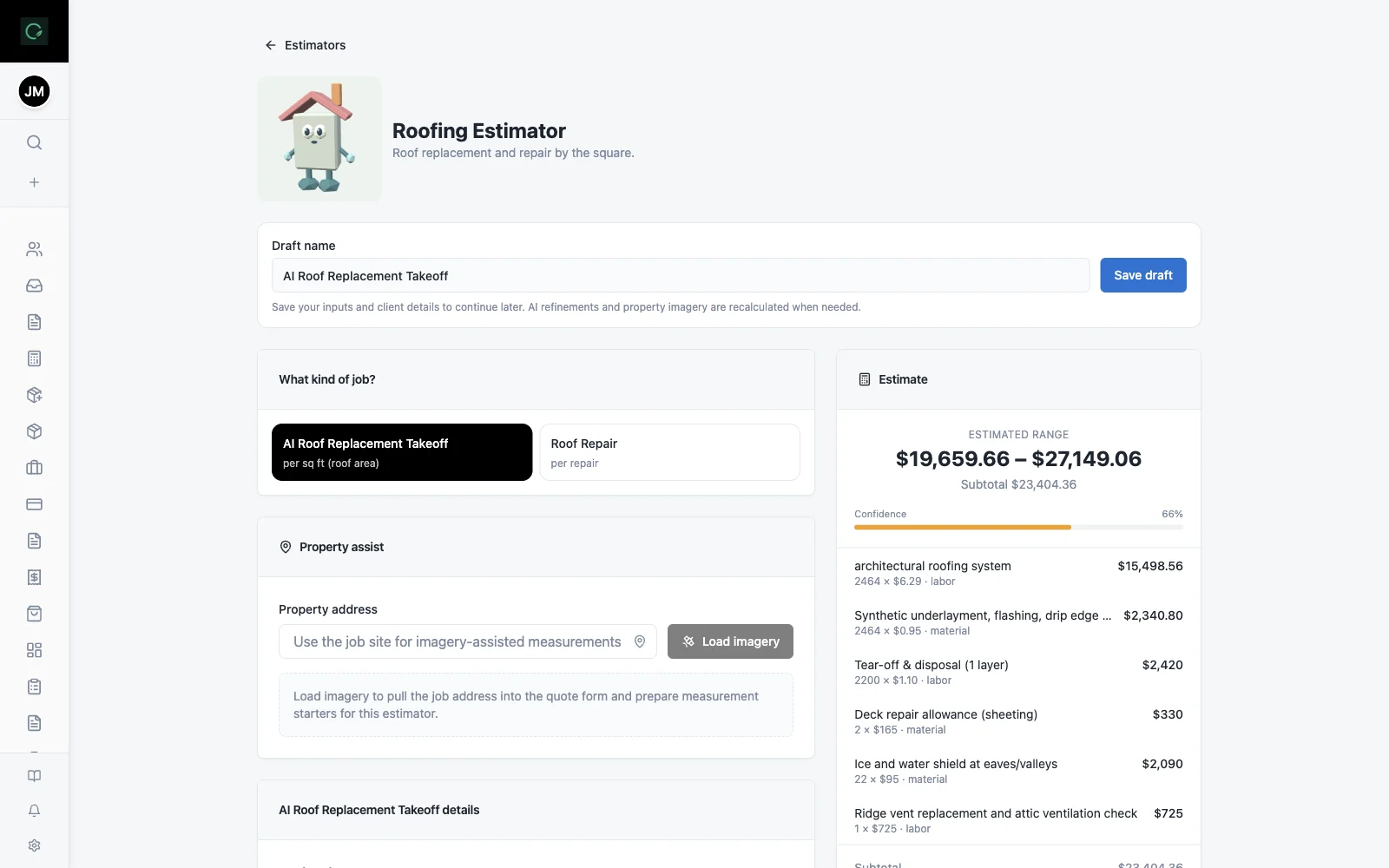
The Roofing Estimator can suggest takeoff values for replacements when suitable imagery is available. Check them against your own site measurements before quoting or ordering materials.
Yes. Review the quantities, prices, and scope, then send the quote to your client for online approval.
Yes. The Roof Inspection Report job form includes photo fields alongside the inspection checklist.
Explore the live demo, test a workflow, or compare our current plans.